
Use a content calendar when timing, dependencies or promises matter. Do not use it to manufacture a daily posting obligation. A useful calendar protects launches, approvals and production capacity while leaving room for corrections and timely work.
A calendar solves coordination problems
Create one when you need to coordinate any of the following:
- a series whose order matters;
- sponsor review or contractual dates;
- product launches, events or seasonal demand;
- shared people, locations or equipment;
- platform-specific versions;
- review dates for changing information;
- rights expirations or embargoes.
If you work alone on evergreen material with no fixed dates, a prioritized backlog may be enough.
Separate four dates
Do not store one “due date.” Track:
- Evidence ready: sources, products, permissions and examples are available.
- Production ready: script or brief is approved and assets are assigned.
- Delivery ready: final file, captions, metadata, rights and disclosure are checked.
- Publish: the platform should make the piece public.
This reveals the real critical path. Scheduling a publish date does not make missing legal approval disappear.
Use fields that change decisions
For each item, store the audience question, primary job, owner, status, destination, publish time and time zone, dependencies, rights/disclosure status and next review date. Add performance targets only when they were defined before publication.
Keep idea capture outside the calendar. An idea is not a commitment until it has a reader, problem and next action.
Schedule with platform limits in mind
As of September 2026, YouTube allows a private video to be scheduled for a specific date, time and time zone. Its Help documentation notes that the public watch-page date is based on Pacific time, which can differ from what creators in other time zones expect. Store your authoritative date with its time zone and check the public result.
Platform tools and eligibility change. Verify current behavior in the account before promising a client that a native scheduler will support a particular format. Keep the final asset and copy outside the platform so a scheduler problem does not become a content-loss problem.
Choose a planning horizon
Use three layers:
- Quarter: themes, launches and major obligations.
- Month: confirmed series and production batches.
- Week: exact pieces that can realistically ship.
Do not fully script a quarter of platform-sensitive tutorials. Reserve review points so screenshots, feature names and limits can be updated close to publication.
Add capacity and recovery space
Estimate the constrained resource: editing hours, access to a presenter, approval time or location availability. Plan below theoretical maximum. One empty slot can absorb a correction, late sponsor response or unusually strong audience question.
Review the calendar weekly. Move or remove work when evidence is missing; do not solve overload by silently lowering the quality bar. The calendar succeeds when it helps the right work ship on time—not when every box is full.
Keep one authoritative calendar
Avoid parallel personal spreadsheets that disagree about status. Let collaborators subscribe to views or filters from one source of truth, and define who may change publication dates. Record significant changes with a reason, especially when they affect a sponsor, embargo or coordinated launch. The calendar should make commitments visible without exposing private contracts or personal data to everyone on the production team.
For unattended publishing, test the schedule with one non-critical item before a major release. Confirm the stored time zone, public URL, metadata and listing surfaces after publication. Keep a manual recovery procedure, but do not make routine publication depend on someone remembering to press a button.
Sources
- YouTube Help: Schedule video publish time
- YouTube Help: Upload YouTube videos
- YouTube Help: Create and schedule a post
Decision map
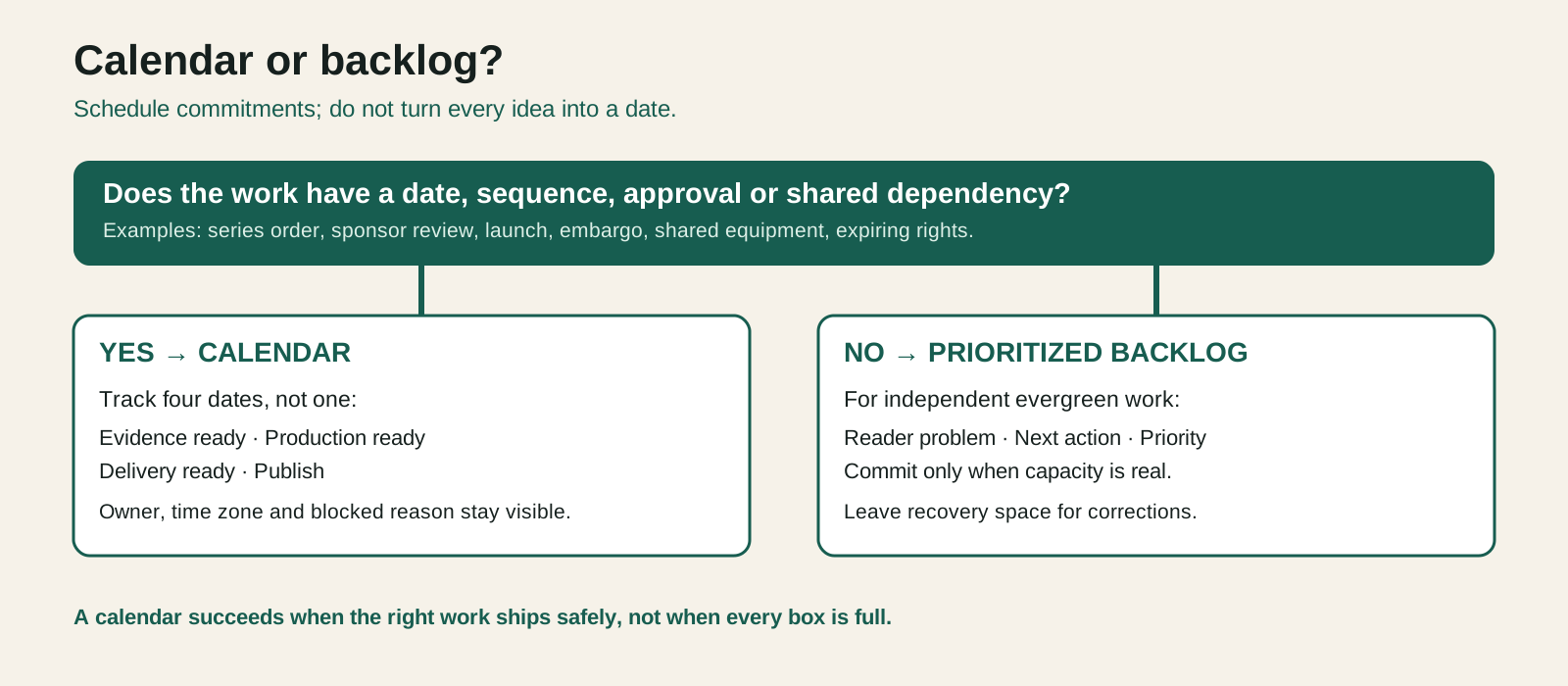
Open the diagram for a full-size view. A calendar item has separate evidence, production, delivery and publication dates.